
Furcadia · In development · v0.10.4
SolClient™
A modern add-on for the official Furcadia desktop client: better chat, whispers, friends and dream tools, plus a full DragonSpeak studio.
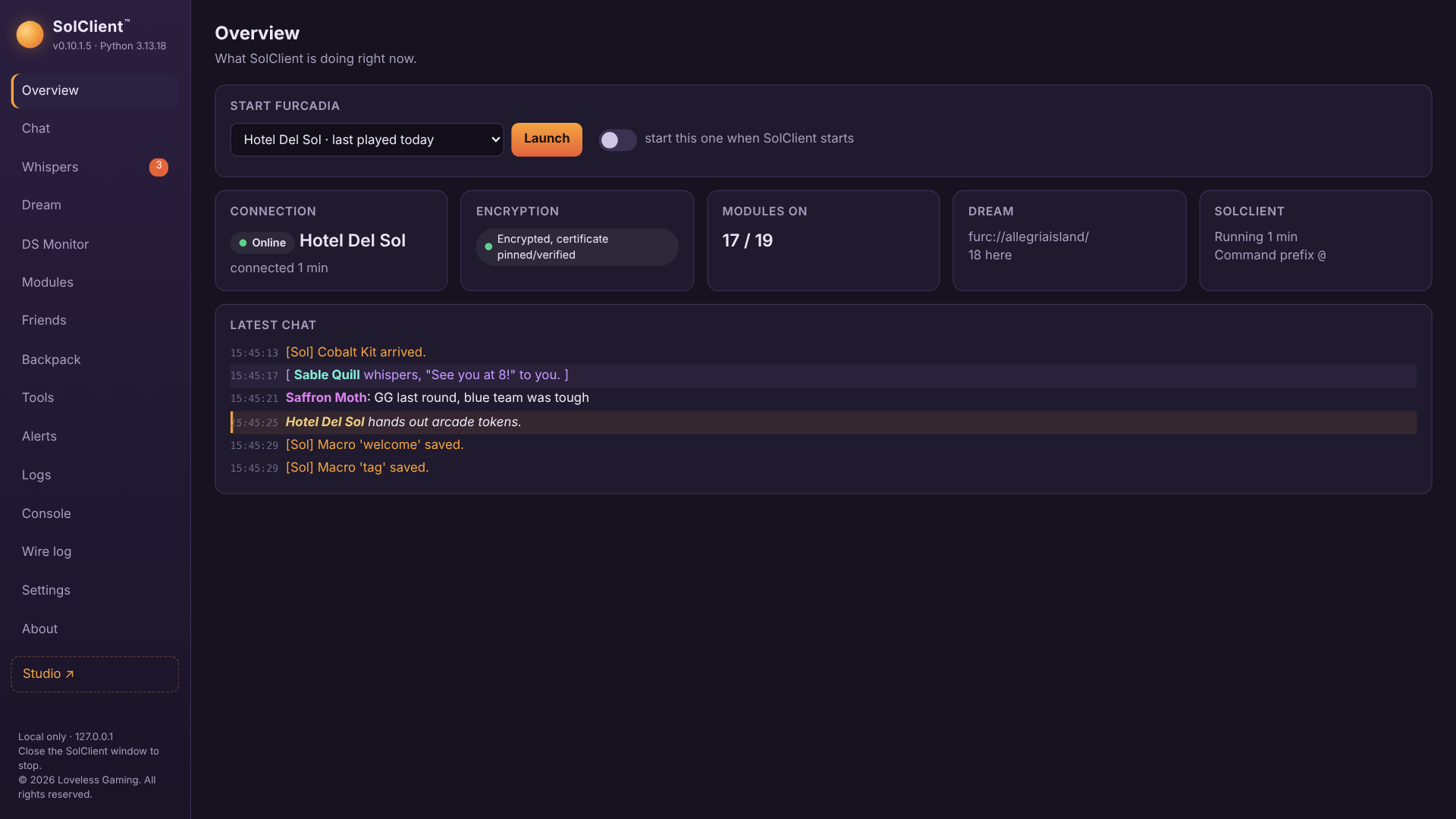
SolClient works the way Furnarchy did, as a proxy that the official Furcadia client connects through, so it can add features to every line of game traffic. Unlike Furnarchy it never injects anything into Furcadia.exe, so client updates don't break it and antivirus has nothing to flag.
It's being built in the open with the Furcadia community. Testing, feedback and release news happen in the Discord.
Control panel
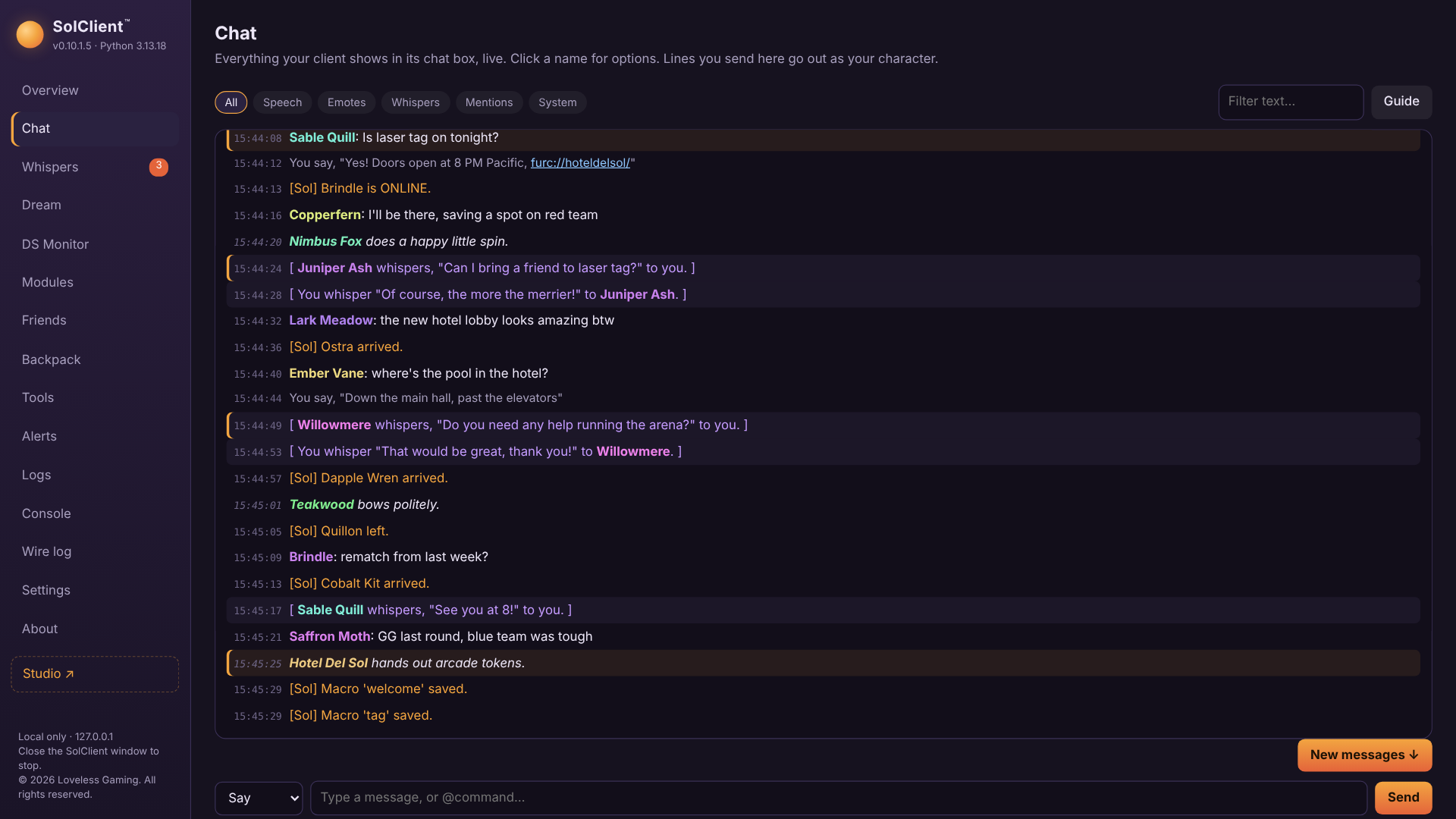
- A live, modern copy of your chat: name colours, clickable links, filters and one-click Whisper / friend / ignore
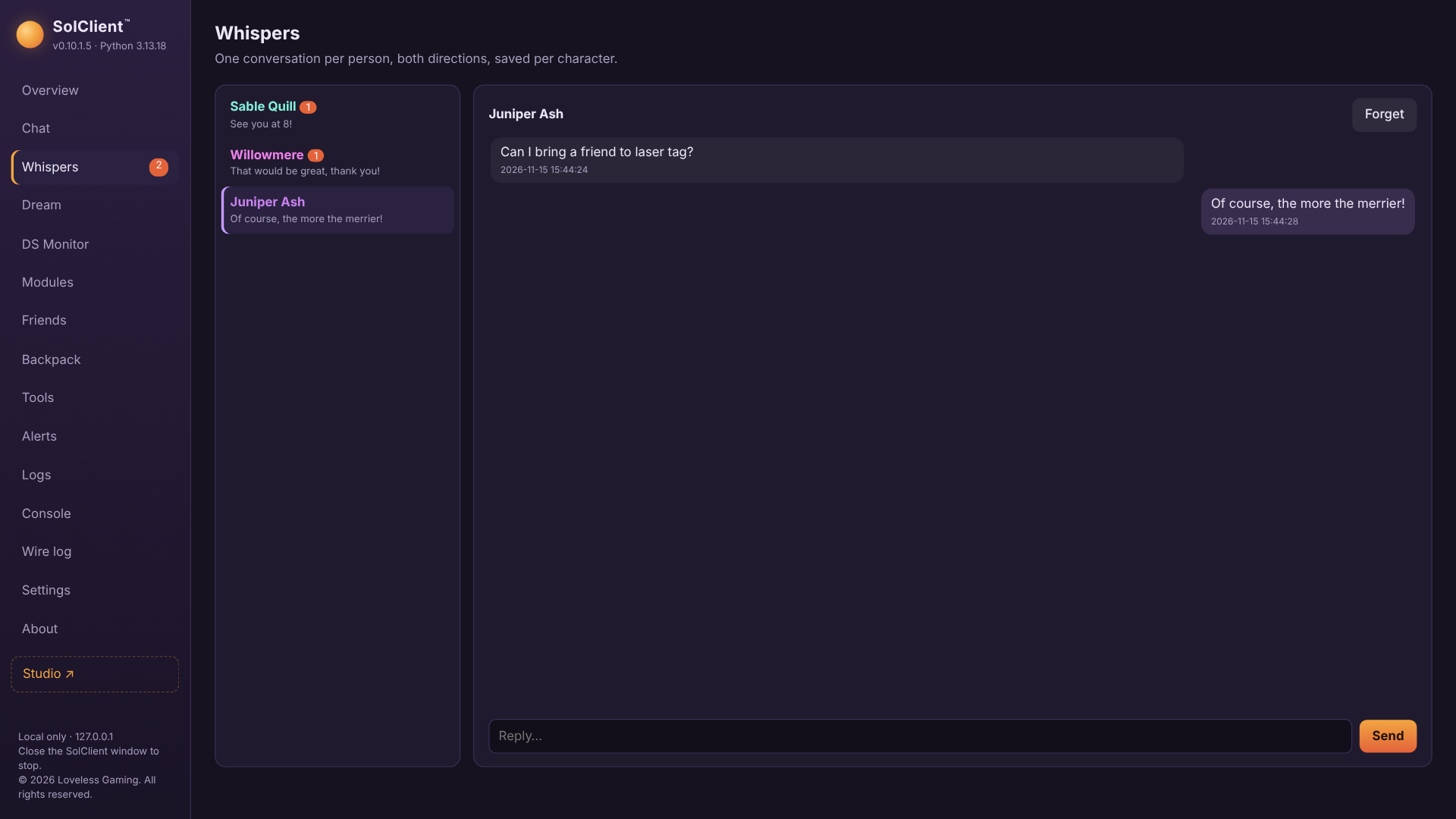
- Whispers as threads, one conversation per person
- Friends-online tracker, keyword alerts and a doorbell sound for whispers and summons
- Search Furcadia's own chat logs for every character
- Launch Furcadia as any of your characters
SolClient Studio™
- DragonSpeak editor with sections, blocks, right-click editing and a classic look
- Template library that gathers every template on your PC, including Draconic Magician scripts with fill-in forms
- Generators for repetitive DS (guest rooms and more)
- Map Editor: your whole dream drawn with its real patch art; paint floors, walls and items, or select, copy and move areas (on a test copy for now)
Modules
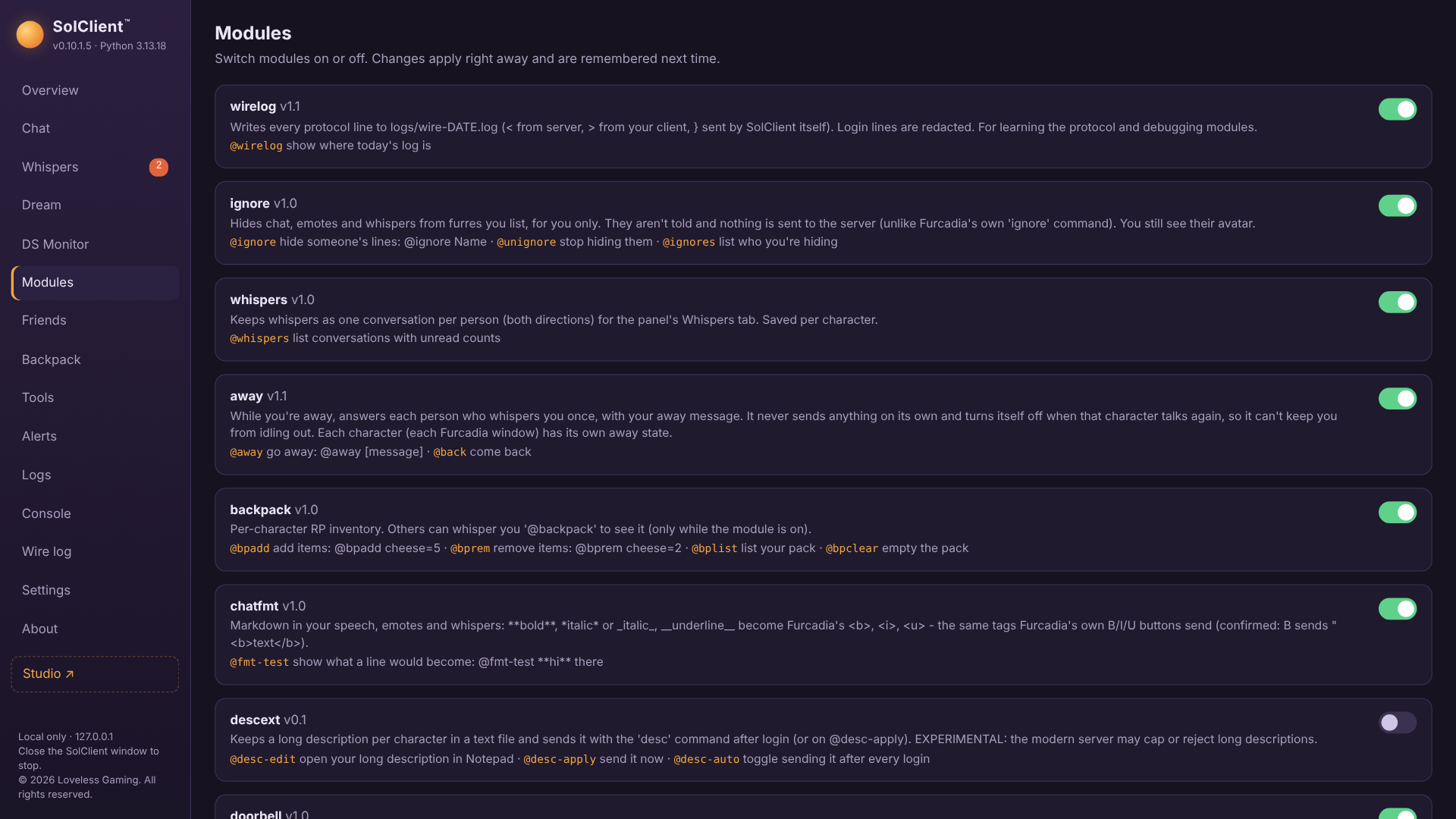
- Macros, away mode, outfits (Wardrobe) and an RP backpack per character
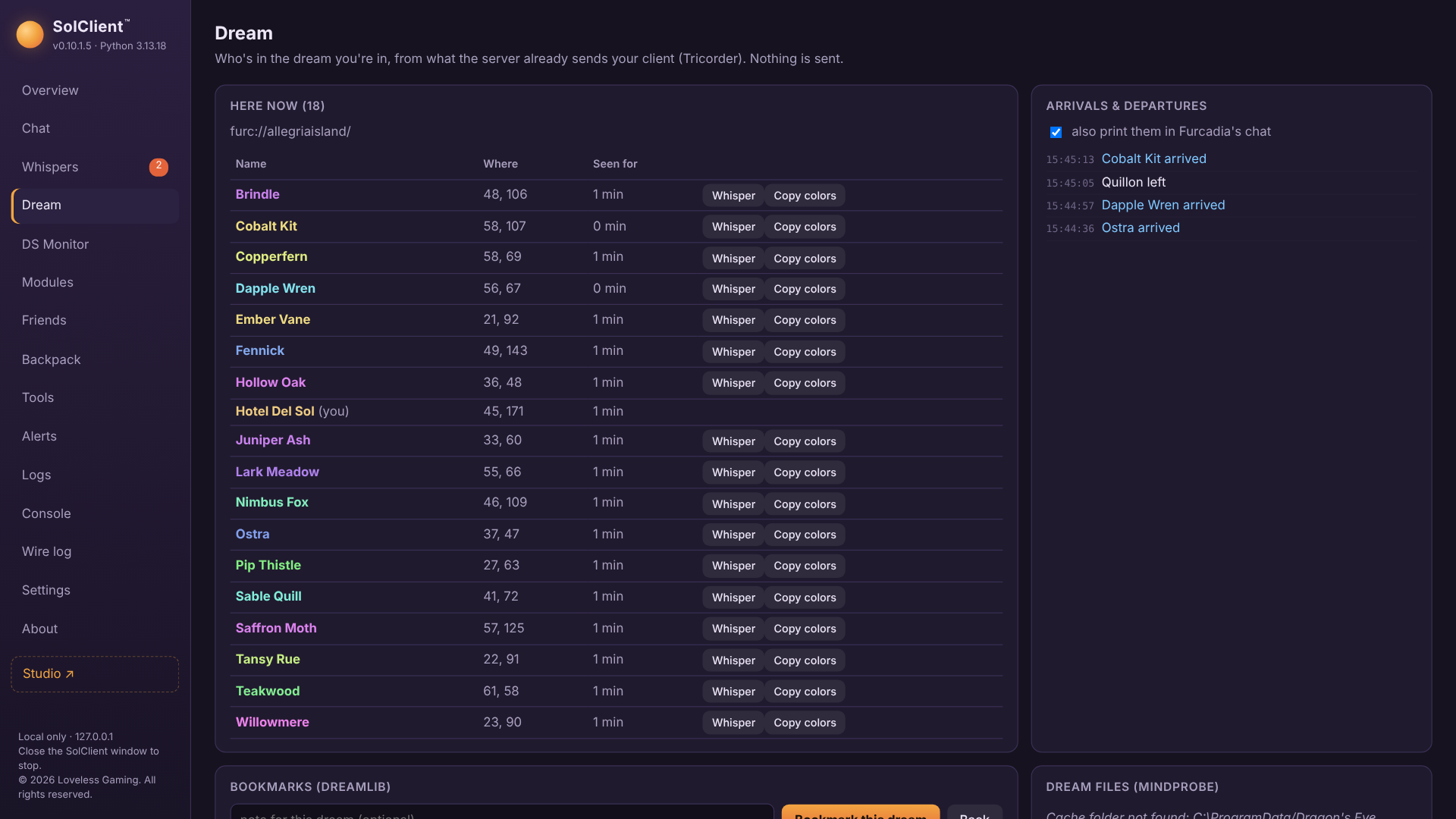
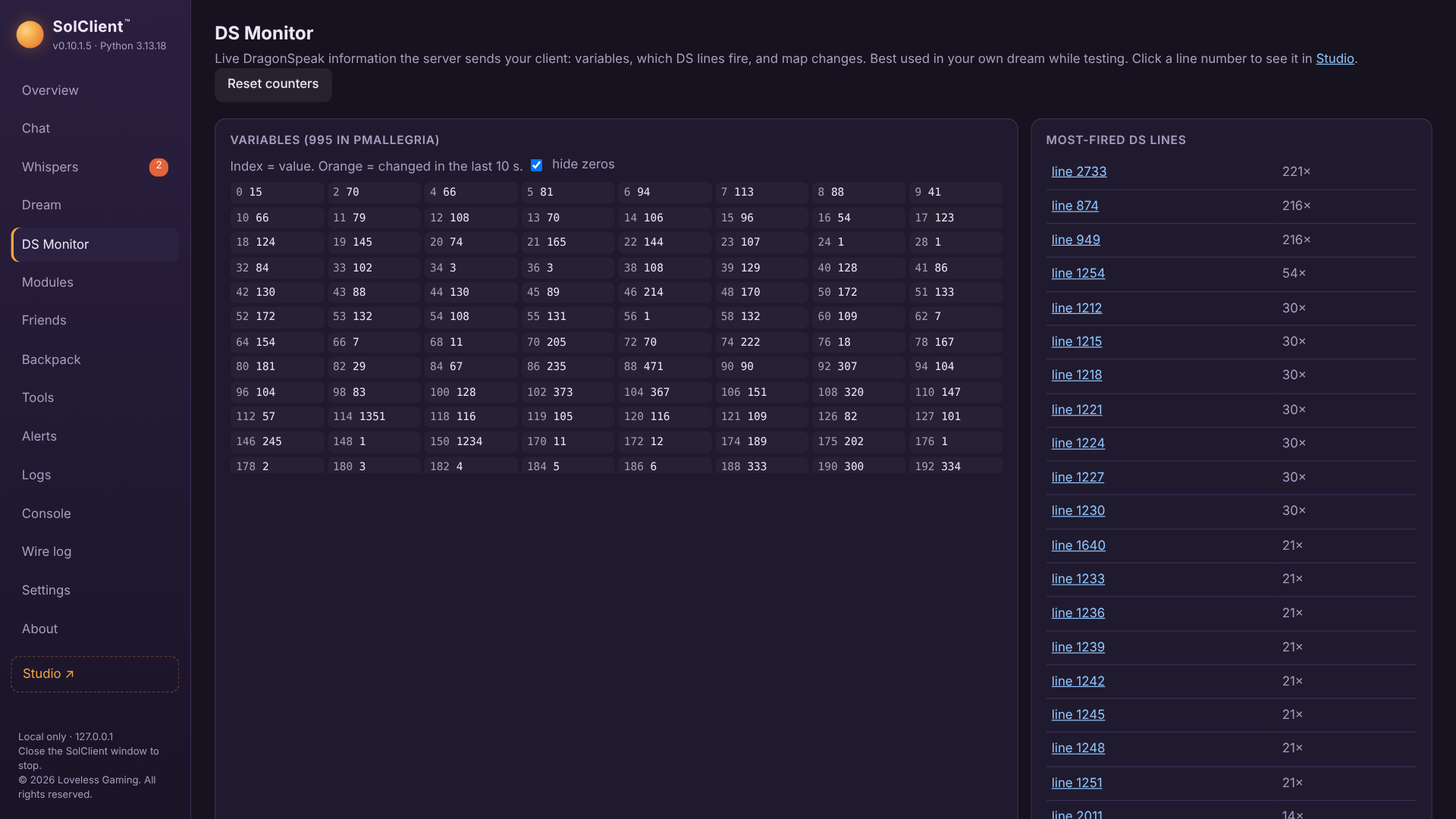
- Dream bookmarks, who's-here list and a live DragonSpeak monitor for dream builders
- Now Playing for Spotify, YouTube, VLC and more
- Plain Python plugins: write your own module in a few lines
Safe by design
- Listens only on your own PC (127.0.0.1); nothing else on your network can use it.
- Never stores or logs your password, and refuses to send your login unless the link to Furcadia is encrypted.
- Follows Furcadia's third-party proxy guidelines: login is left to the official client, a command prefix is used, and online checks are rate-limited.
- Nothing personal is sent anywhere.
Screenshots
Latest updates
v0.10.4
- Map Editor: compare with a backup. Backups ▸ Compare shows what changed since that backup, with changed tiles outlined on the map, and puts back everything or just the selected area in one undo step.
- Map Editor: resize. Change a test copy's width and height, adding or cutting space on any side. It shows how many tiles would be cut and how far DragonSpeak positions move, warns at sizes that may need a Dream Package, and backs the map up first.
- Map Editor: new map. Make a new dream map with Furcadia's default settings, your size, rating and floor, plus a starter .ds, ready to edit.
v0.10.3
- Map Editor: dream tools. ⚙️ Dream settings edits the dream's name, rating and on/off settings (summon/join, lead/follow, dream URLs, shouts, vulgarity filter and more) and writes only what you change. 🔁 Replace swaps one floor, item or wall number for another across the map or a selection, counting first, with one undo. 📊 Usage lists every number the map uses with pictures and counts, and copies to CSV.
v0.10.2
- Map Editor: stamps. Save a selection (a room, a pool corner, a row of arcade machines) as a named stamp with a picture, and place it again in any dream from the picker's 🧩 Stamps view. Placing works like pasting, centred on the mouse, and warns when a stamp came from a dream with different patches. Rename and delete from the right-click menu. Deleted stamps are kept as a backup.
- Fixed: in Studio's Blocks view, copying, cutting, deleting and commenting several selected lines stopped working in 0.10.1.3.
- Fixed: Studio no longer offers to regenerate a module made by a newer version of a generator with its own, older copy of that generator.
- Fixed: the Whispers tab only files a whisper you sent once Furcadia confirms it, so a whisper to a mistyped or missing name no longer shows up as a conversation.
Release
SolClient isn't released yet. Release news, test builds and feedback all happen in the Loveless Gaming Discord.